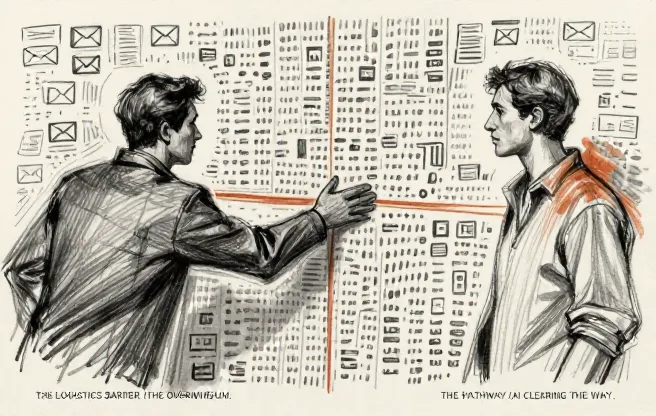
Customer onboarding is one of those processes that feels manageable until it isn’t. At 20 customers a month, your team can handle the welcome emails, the kickoff calls, the “how do I log in?” tickets, and the follow-up sequences by hand. At 50 or 80 customers a month, the cracks show. Responses slow down. Steps get skipped. New customers wait three days for a kickoff call that should have happened on day one.
This is the kind of problem AI is genuinely good at. Not because it replaces your onboarding team, but because it takes the repetitive, high-volume parts off their plate so they can focus on the work that actually requires a person.
Here’s what AI-assisted customer onboarding looks like for a 50 to 100-person SaaS or services company, from the first automation through a fully running system.
The onboarding bottleneck
Before we get into the AI, let’s talk about what makes customer onboarding hard at this company size.
A 50 to 100-person company typically has a customer success team of 3 to 8 people. Each team member handles 15 to 30 active onboarding accounts at any given time. The onboarding process involves a mix of emails, calls, document collection, account setup, training sessions, and check-ins. Most of these steps follow a predictable pattern, but each customer has slightly different needs, timelines, and questions.
The result is a team that spends a huge portion of their day on logistics. Scheduling calls. Sending reminder emails. Answering the same questions for the fifteenth time this week. Updating the CRM. Chasing down missing documents.
According to a 2024 Gainsight survey, customer success teams spend roughly 40% of their time on administrative tasks rather than relationship-building or strategic work. That ratio is even higher at companies where onboarding processes haven’t been formalized.
The opportunity isn’t replacing the team. It’s giving them back the 40% of their time that’s currently eaten by logistics.
Where AI fits in the onboarding flow
Not every part of onboarding benefits from AI equally. Here’s a realistic breakdown of where it helps, where it partially helps, and where you should keep a human.
AI handles this well
New customers send a lot of messages during their first 30 days. Most of them are variations of the same ten questions: How do I reset my password? Where do I find my invoice? How do I add a user? An AI system trained on your documentation can answer 60-70% of these instantly, route the rest to the right team member, and flag anything urgent. Triage alone is often the single biggest time saver.
Welcome sequences are another strong fit. Instead of a generic email, AI can generate tailored onboarding content based on the customer’s plan, industry, company size, and stated goals. A consulting firm signing up for project management software gets different guidance than a retail chain signing up for the same tool. This personalization used to require someone to manually adjust templates for each account. Now it happens automatically.
The pure logistics stuff is where AI really shines, though. Coordinating kickoff calls and check-ins across time zones, sending reminders, rescheduling when conflicts arise, nudging customers who haven’t responded. Same goes for tracking document submissions and flagging accounts that are falling behind on setup steps. None of this requires judgment. It just requires consistency, which is exactly what AI is good at.
AI partially helps
Training is a mixed bag. AI can deliver personalized training content, answer questions about product features, and walk customers through basic setup steps. But when the training gets complex (especially when the customer needs to understand how to adapt the tool to their specific workflow), a live session with a knowledgeable person still produces better results. The useful pattern here: AI preps the customer before the session and reinforces learning afterward. The session itself works better with a human.
Account health monitoring is similar. AI can track onboarding progress across all accounts, flag the ones that are stalling, and auto-generate status reports. But interpreting why an account is stalling still requires human judgment. A customer who hasn’t logged in for five days might be overwhelmed, on vacation, or quietly regretting the purchase. The right response depends on context that AI doesn’t have.
Keep a human here
When a customer asks something that falls outside the standard FAQ, you need a person. Not just for accuracy, but because the customer is often frustrated or confused, and a thoughtful human response builds trust in a way that even a perfectly correct AI response doesn’t.
The same goes for the moments that define the relationship. The kickoff call. The “how are things going?” check-in. The conversation where you learn that the customer’s real problem is different from what they told sales. AI can schedule these conversations, but it can’t have them.
And when something goes wrong during onboarding, the customer needs to talk to a person who can acknowledge the problem, take ownership, and make it right. Routing an angry customer to a chatbot is a great way to lose them.
What the implementation looks like
For a company this size, the typical implementation rolls out in phases over about 8 to 12 weeks.
Phase one (weeks 1-3) focuses on the highest-volume, lowest-complexity tasks. That usually means automated FAQ responses, scheduling automation, and a basic welcome sequence. This phase is fast because you’re using mostly off-the-shelf tools with some customization. Expect to spend $5,000 to $10,000 on setup and integration, plus $500 to $1,500 per month in ongoing tool costs.
Phase two (weeks 4-8) adds the personalization layer. Welcome sequences get tailored by customer segment. The FAQ system gets trained on your specific product documentation. Document collection and tracking gets automated. This phase requires more configuration and testing. Your team needs to provide feedback on AI responses and help tune the system. Budget another $5,000 to $8,000 for this phase.
Phase three (weeks 8-12) is about integration and measurement. The AI components get connected to your CRM so everything flows together. You start tracking metrics: time to first response, onboarding completion rate, customer satisfaction scores, number of support tickets per new account. This is also when you build the escalation rules that determine when AI should hand off to a human.
The numbers
Here’s what companies at this size typically see after 90 days, based on published benchmarks and common patterns across the customer success industry.
The most immediate change is response time. A 2024 Intercom report found that AI-assisted support teams achieved median first response times of under 2 minutes, compared to 4-6 hours for email-based teams. For onboarding, where speed matters because the customer is trying to get started, that gap is significant.
The customer success team typically reclaims 10-15 hours per person per week. That’s the time that was going to answering repeat questions, sending manual follow-ups, scheduling calls, and chasing documents. It now goes to proactive outreach and deeper training sessions.
Onboarding completion rates tend to improve by 15-25%. Not because AI does anything clever, but because the basics consistently happen on time instead of occasionally falling through the cracks. Faster responses, fewer dropped steps, automated reminders. It’s boring stuff, but it adds up.
Here’s the one that surprises people: customer satisfaction during onboarding stays flat or improves slightly. The fear is always that AI will make the experience feel impersonal. In practice, customers care more about speed and accuracy than about whether a human or a bot answered their password reset question. When satisfaction does improve, it’s usually because the human team has more time for the conversations that actually matter.
The part that’s harder than it sounds
We’ll be honest about what trips companies up during this kind of implementation.
The handoff between AI and human is the trickiest part. If the AI tries to handle too much, customers get frustrated when it gives wrong or incomplete answers to complex questions. If the AI hands off too quickly, you haven’t actually reduced the team’s workload. Finding the right threshold takes 4-6 weeks of tuning, and it keeps shifting as your product and documentation evolve.
Your documentation also has to be good. The AI answers questions based on what you’ve written. If your help docs are outdated, incomplete, or poorly organized, the AI will give bad answers. Most companies that start this project discover their knowledge base needs significant cleanup first. We touched on this in our article about building a company knowledge base, and it applies here too.
Then there’s the team dynamic. Customer success people often pride themselves on personal relationships with customers. Introducing AI into the onboarding flow can feel threatening, even when the AI is handling tasks that nobody enjoys. Be transparent about what the AI does and doesn’t replace, and show the team their own time savings after the first month. That usually settles the nerves.
And expect some customers to test the AI, especially early on. Others will keep emailing the team directly even when the AI can help them faster. You can’t force it. You can make the AI response faster and more helpful than the alternative, and let habit take over.
What this doesn’t do
AI-assisted onboarding doesn’t replace your customer success team. If your team is fundamentally too small for your customer volume, AI buys you some breathing room, but it doesn’t eliminate the need to hire.
It also doesn’t fix a bad onboarding process. If your process has too many steps, requires too much from the customer, or doesn’t match what was promised during sales, AI will just automate the broken version faster. Fix the process first.
And it doesn’t work if your product is confusing. If customers struggle during onboarding because the product itself is hard to use, AI can smooth over some of the friction, but the real fix is product improvement, not more support automation.
After 90 days
The companies that do this well end up with a customer success team that operates differently than before. Instead of spending their mornings triaging questions and their afternoons on follow-up emails, they’re spending their time on the work that actually drives retention: proactive check-ins, strategic conversations about how the customer is using the product, and early intervention when an account shows signs of struggling.
The AI handles the logistics. The humans handle the relationships. That’s the split, and when it works, both sides of it get better.