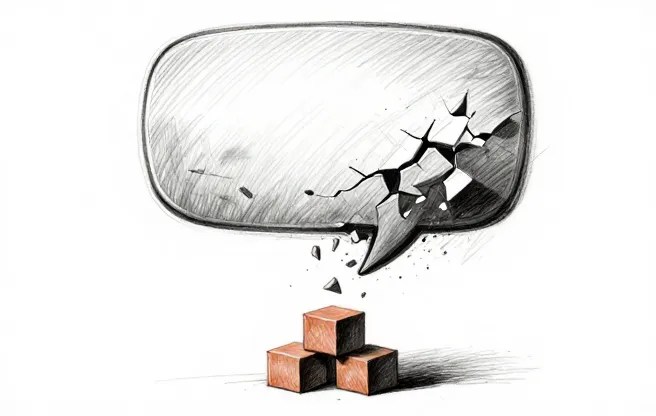
Raise your hand if this sounds familiar. Someone at your company (maybe you, maybe a vendor, maybe a consultant who should have known better) said, “We should build an AI chatbot for our customers.” The team got excited. The bot went live. Customers hated it. Three months later, nobody talks about the chatbot anymore, and there’s a quiet “Chat with us” button in the footer of your website that routes to a human after two failed interactions.
We’ve heard some version of this story from dozens of businesses. The chatbot graveyard is enormous, and most of the tombstones say the same thing: “Built with good intentions. Died from bad implementation.”
Here’s the thing. Chatbots aren’t inherently bad. AI-powered customer interaction has gotten genuinely good in the past two years. But the way most businesses build and deploy chatbots is almost designed to fail. The failures follow a pattern, and understanding that pattern is the fastest way to figure out what actually works.
How chatbots usually die
The failure modes are remarkably consistent. We keep seeing the same five or six problems, regardless of industry or company size.
Bad training data, or no training data at all. The most common chatbot failure starts here. A business launches a chatbot and expects it to answer questions about their products, policies, and processes. But the bot was trained on a thin FAQ page and maybe a few marketing documents. It doesn’t know the answer to “Can I return an item after 60 days?” because nobody fed it the return policy. It doesn’t know that your Houston location closes early on Fridays. It has no idea what to do when someone asks a question that’s even slightly outside the FAQ.
The result: customers ask real questions, get bad answers (or no answers), and immediately lose trust. Not just in the chatbot. In your company.
No escalation path is the second killer. A chatbot that can’t smoothly hand off to a human is a dead end. Customers get stuck in a loop of “I’m sorry, I don’t understand” messages, and there’s no button, no link, no obvious way to reach a person. Some bots make you start over when they can’t help. Some just stop responding. We’ve tested chatbots from well-known brands that had no escalation path at all.
The UX problem is subtler but just as deadly. Many chatbots are, to put it plainly, annoying to use. They respond too slowly. They ask unnecessary qualifying questions before getting to the answer. They use formal, stilted language that doesn’t match the brand. They pop up uninvited on every page. They cover the content the person was actually trying to read.
I’ve seen chatbots that take four exchanges to answer a question that was fully addressed in the first paragraph of the help page the customer was already on. That’s not helping. That’s getting in the way.
Then there’s the scope problem. The chatbot tries to do everything: answer product questions, process returns, schedule appointments, troubleshoot technical issues, upsell new products, and conduct satisfaction surveys. No chatbot can do all of this well. Most can’t do two of these well. When a bot tries to handle too many use cases, it handles all of them poorly.
And finally, the expectation gap. The business thinks the chatbot will handle 80% of customer inquiries. In reality, it handles 30% adequately, confuses customers on another 30%, and the remaining 40% need human help anyway. The team didn’t plan for this, so the human support load barely decreases while customer satisfaction drops. The chatbot cost money, time, and goodwill, and the net result is negative.
Why the “just build a chatbot” instinct is wrong
The impulse to build a customer-facing chatbot makes intuitive sense. Your support team is overwhelmed. Customers want answers at 2am. AI can talk to people. So: AI chatbot. Problem solved.
But this skips a few steps that matter a lot.
Start with a question nobody asks early enough: what are customers actually contacting you about? Not “what do we think they’re asking.” Look at your support tickets, your emails, your call logs. If 60% of inquiries are variations on five questions, you might not need a chatbot at all. A well-organized FAQ page, a better search function, or even a short video explaining your return process might solve the problem more cheaply and reliably.
Then ask whether customers are reaching out because the information is hard to find, or because it doesn’t exist. We’ve worked with businesses whose chatbot failed because the answers to common questions weren’t documented anywhere. The bot couldn’t find information that nobody had written down. Building a chatbot before organizing your knowledge is like hiring a librarian before you have a library.
And then the question that stings: is your team ready to maintain this? A chatbot isn’t a one-time project. It needs ongoing training, regular updates as your products and policies change, and someone monitoring conversations for problems. If you don’t have a person dedicated to maintaining the bot (or at least a significant chunk of someone’s time), it will degrade within months.
What actually works for customer-facing AI
The businesses we’ve seen succeed with customer-facing AI share a few things in common. None of them started by building a chatbot.
Every single one started by organizing their knowledge. Before any AI tool can help customers, the information has to exist in a structured, current format. Documented policies, product details, common questions with clear answers, and a process for keeping it all up to date. This is the boring work that makes everything else possible.
From there, they scoped narrowly. Instead of a bot that handles every customer interaction, they picked one use case and did it well. Just order status. Just product recommendations. Just a simple troubleshooting flow. One thing done right builds trust. A dozen things done badly destroys it.
Escalation was a first-class feature, not something bolted on after launch. The AI tries to help, and if it can’t (or if the customer just wants a person), the handoff is instant. The human agent gets the conversation context so the customer doesn’t have to repeat themselves. This is where most chatbots fail, and honestly, it’s where the difference between good and bad customer AI is most obvious.
The measurement piece matters too, but not the metric most people track. “How many conversations did the chatbot handle” is a vanity number. “How many customers got their question answered without needing human help” is the one that tells you whether the AI is earning its keep.
The progression most businesses should follow
If you’re thinking about customer-facing AI, here’s the path we recommend. It’s not as exciting as “launch a chatbot next month,” but it’s dramatically more likely to work.
Start by getting your internal knowledge in order. Document your policies, products, common questions, and processes. If your team can’t find the answer to a customer question quickly, neither can an AI.
Then use AI internally before you point it at customers. Give your support agents an AI tool that searches your knowledge base and suggests answers. This makes your team faster, and it reveals the gaps in your documentation. If the AI keeps giving wrong answers, your knowledge base needs work. Better to find that out when there’s a human in the loop.
Once that’s solid, deploy a FAQ bot with a very narrow scope. Not a chatbot that tries to be everything. A focused tool that handles the five or ten most common questions and hands off to a human for everything else. Monitor it closely. Read the transcripts. See where it fails.
Eventually (and most businesses don’t get here for six months or more), expand the scope based on data. Which questions does the bot handle well? Where does it struggle? Add capabilities one at a time. Test each expansion. Don’t just turn on more features and hope for the best.
This progression is slower than bolting a chatbot onto your website next week. But the businesses that follow it actually end up with customer-facing AI that works. The ones that skip to step four end up in the chatbot graveyard.
Why internal AI should come first
I want to dwell on this because it’s the recommendation that gets the most pushback. Business owners want customer-facing tools because that’s where the pressure is. The support queue is long. Customers are waiting. An internal tool doesn’t fix that directly.
But an internal AI tool for your support team can cut response times by 30-50% within weeks. The agent still talks to the customer. The AI just helps them find answers faster, draft responses, and pull up relevant information without hunting through six different systems.
This approach has almost no risk. If the AI suggests a bad answer, the agent catches it before it reaches the customer. If the tool doesn’t work well, you turn it off and nothing customer-facing breaks. You’re learning how AI handles your specific information, your edge cases, and your customer language, all in a low-stakes environment.
By the time you deploy something customer-facing, you’ve already worked through the hard problems: knowledge gaps, tricky edge cases, and questions the AI can’t handle. Your customer-facing tool will be better because your team spent months training on the same data.
The catch (because there’s always a catch)
Internal AI first sounds great in theory, but it requires patience. Your team is drowning now. Your customers are frustrated now. The pressure to “just ship a chatbot” is real, and the timeline we’re describing here, six months from internal tool to customer-facing deployment, feels like an eternity when your support queue is 200 tickets deep.
The honest trade-off: you can ship a chatbot next month and probably abandon it in three, or you can spend six months doing it right and have something that actually reduces your support load for years. We’ve seen both paths. The fast path almost always costs more in the long run, because you pay for the initial build, then you pay for the customer frustration, then you pay again when you rebuild it properly.
The other catch is that “organize your knowledge” is harder than it sounds. Most businesses have information scattered across emails, shared drives, individual people’s heads, and a help center that was last updated in 2023. Getting it all into a structured, searchable format takes real effort. There’s no shortcut here.
What to do if your chatbot already failed
If you already launched a chatbot and it didn’t work, don’t scrap the idea entirely. Look at what went wrong.
Check the conversation logs. Where did customers get stuck? What questions did the bot answer badly? Were customers trying to do things the bot wasn’t designed for? The failure data is genuinely useful, because it tells you exactly what your customers need.
Ask your support team. They’ve been fielding the complaints. They know which chatbot interactions create more work, and they know what customers are actually looking for.
Then go back to step one. Organize your knowledge. Fix the gaps. Narrow the scope. Build the escalation path. You’re not starting over. You’re starting right.
The chatbot graveyard isn’t full of bad technology. It’s full of good technology deployed without the foundation it needed. Get the knowledge base right, scope narrowly, build the escalation path, and start internal. The chatbot will work the second time around. It just needs a foundation that the first attempt never had.